Adjust the volume without your phone
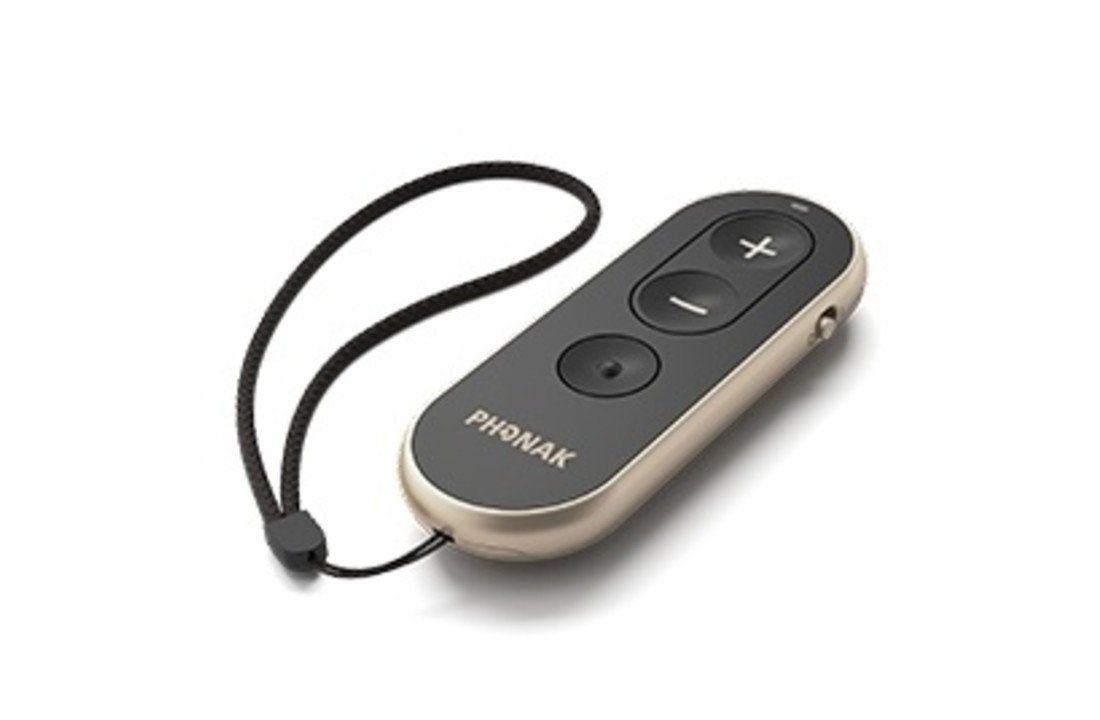
The Phonak RemoteControl lets you turn your hearing aids up or down and choose another listening programme. There are three clearly marked buttons. Wear two paired hearing aids? You'll adjust them together.
Will it work with your hearing aids?
This remote works with Phonak Marvel, Paradise and Lumity hearing aids that have the required Bluetooth connection. Versions without that wireless function won't work with it. The part number is 076-0065-P5.
Do you use Infinio or EON? Have the remote version checked before ordering. Some older RemoteControls cannot pair with those hearing aids, including Audéo R or Sphere, CROS and Virto R versions in those ranges. The name RemoteControl alone isn't enough to identify the right version.
Pair it once
Remove the battery protection tab before first use. Restart your hearing aids to open pairing mode. The remote automatically enters pairing mode the first time it is switched on; its light flashes blue. To pair again, hold the plus button while switching it on and release it when the light flashes blue. After successful pairing, the light stays green for five seconds.
Everyday use
Use plus and minus to change the volume. The programme button selects the next programme set up by your hearing care professional. It doesn't create new listening programmes. The remote has an on/off slider and uses a CR2032 coin cell. Keep coin cells out of children's reach.
This isn't a microphone or streamer, so it doesn't transmit music or calls. For TV sound, you'll need something such as a compatible TV Connector. You receive one remote without hearing aids.
Phonak RemoteControl manual (English, PDF)
Help with RemoteControl and Infinio or EON (English)