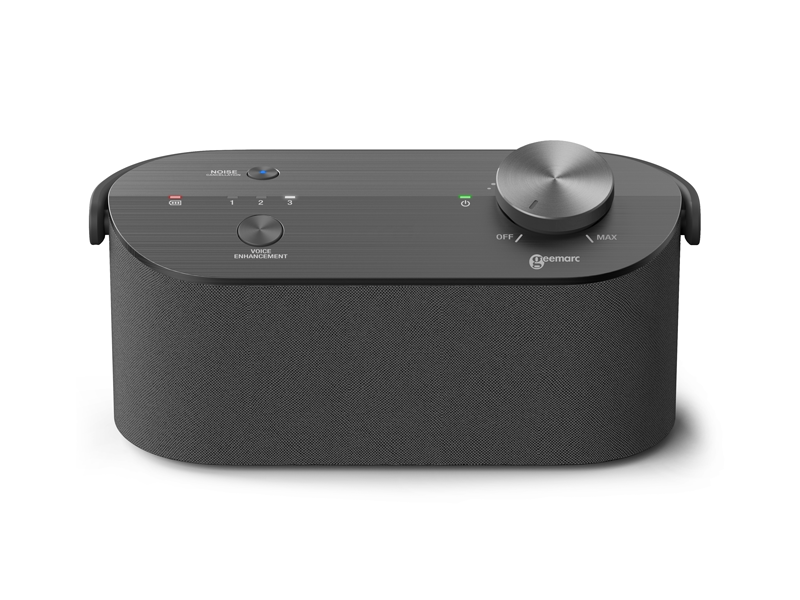
Would you like to follow television more easily without turning up the sound for the whole room? Place the Geemarc Sonarya beside your chair. The speaker receives TV audio wirelessly from its base and brings voices closer to you. Adjust the volume on the speaker.
Bring voices forward
Choose from three speech modes and try the noise-reduction button to find a setting that suits the programme. This feature processes the TV audio; it does not cancel sounds in your room. For private listening, you can plug headphones into the speaker’s 3.5 mm socket.
Connect it to your television
Connect the base to your TV’s optical or 3.5 mm audio output. For an optical connection, select PCM stereo; the supported setting is 48 kHz/16 bit. The base and speaker use DECT, not Bluetooth. Whether your TV’s own speakers can keep playing depends on the television and its selected output.
Charge it and move it
The built-in battery provides up to approximately 16 hours of use, depending on your settings. Charge it on the base or through USB-C. Place the speaker where you listen, then return it to the base to recharge.
What is included?
The set includes 1 Sonarya speaker, 1 base station, a USB-C power supply, an optical cable, a 3.5 mm audio cable and instructions. Headphones are not included.
User guide (PDF, English)